

Reports Nobody Opens
A report takes 40 seconds to load and nobody opens it any more.
Slow reports, inconsistent numbers, and disconnected data can hold teams back. Our Power BI consulting services help bring it all together.
 You speak with a Power BI consultant. We reply within one business day.
Years of Experience
Serving Clients Globally
Security & Quality Standards
Is this you?
A report takes 40 seconds to load and nobody opens it any more.
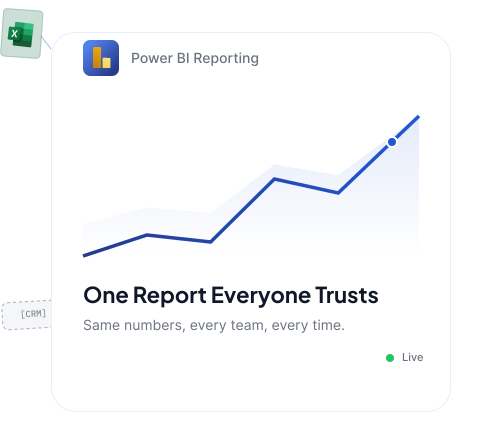
Finance and sales bring two different revenue numbers to the same meeting.
You're ready to move away from a legacy BI platform before the next renewal cycle.
The person who built your dashboards left, and nobody can maintain them.
What we do
Our Power BI consulting services cover the full lifecycle, from strategy and implementation to integration, migration, optimization, and ongoing support, all through one team.
If you're not sure what to fix first, we assess your data sources, reports, and reporting gaps to create a clear Power BI roadmap around the problems that matter most.
If you're struggling to get the set up properly, we configure your tenant, workspaces, gateways, security, deployment pipelines, and reporting environment so you can start on the right foundation.
Slow reports and conflicting numbers often start with the data model. We redesign relationships, star schemas, DAX, and refresh logic so reports perform better and teams work from consistent metrics.
If your dashboards feel full of data but short on answers, we can help you build Power BI reports and dashboards around the decisions users need to make, with clear visuals, custom reporting, and paginated reports where required.
Data spread across multiple systems makes reporting harder to trust. We connect Power BI with Dynamics 365, Business Central, Dataverse, SQL Server, Azure, SharePoint, Salesforce, and other business applications.
Refresh failures, gateway issues, performance problems, and report changes should not become recurring headaches. Our Power BI managed services keep your reporting environment monitored, supported, and up to date.
If users can see the wrong data or multiple versions of the same report exist, governance becomes a problem. We establish workspace structure, certified datasets, access controls, security, and reporting standards.
If you need more than historical reporting, we help you extend Power BI into forecasting, what-if analysis, AI-assisted analytics, and Microsoft Fabric when your data requirements justify it.
If only one person understands your Power BI environment, every change becomes a dependency. We train your team on the actual models and reports they use and provide the documentation needed to manage them confidently.
Legacy BI platforms can leave teams maintaining outdated reports and duplicated logic. We migrate from Tableau, Cognos, Crystal Reports, Qlik, SSRS, Excel, and other BI environments while rebuilding only the reports and data models that still matter.


Our partner in business strategy not only because of the domain knowledge but also because of the flexibility.

Nalashaa’s strong experience in Dynamics product-line helped bring the power of Jitterbit integration platform to the Dynamics family of products.

Nalashaa did a great job in understanding our needs and handling the project from both a technical and project management perspective.

Nalashaa helped us accelerate our software releases. Their insights into how commercial grade software is built has been valuable.

Nalashaa has been a great business partner and asset to our software development efforts. Their attention to detail and broad experience helps us to continually offer products that compete in today’s market.
Cost Management Services, LLC
Given us nothing short of top rate experience with their development service.
iBistro
We partnered with Nalashaa for our first RPA project and were truly impressed by their professionalism, responsiveness, and dedication. Despite the time difference, their core team stayed aligned with our hours.

Engagement models
We adapt the engagement to what you need, whether that is a focused assessment, a full Power BI implementation, or ongoing support.
Best for a specific challenge such as a performance review, model rebuild, or defined report set.
Best for larger Power BI implementations, migrations, or rebuilds.
Best for teams that already use Power BI and need it to stay reliable and continuously improve.
Why Nalashaa
Power Platform, Dynamics 365, Azure, and the wider Microsoft ecosystem.
Experience across Salesforce, HubSpot, Zoho CRM, NetSuite, and other business platforms.
Supporting clients across North America, Europe, the Middle East, and APAC.
Consulting, implementation, integration, modernization, and ongoing support.
Experience across healthcare, financial services, manufacturing, logistics, software, and more.
Years of experience delivering and modernizing business-critical platforms.
Get continued support for issue resolution, flow monitoring, application enhancements, licence optimization, and ongoing platform improvements.
Industries
Power BI solutions shaped around the reporting needs, data, and decisions unique to each industry.

Portfolio and loan performance, risk exposure, branch and channel profitability, regulatory reporting that has to reconcile exactly.

Inventory turns, OEE, supplier and lead-time analysis, and margin by SKU pulled straight from Business Central or Supply Chain Management.

Basket and category analysis, store and channel comparison, promotion lift, and stock positions that update through the day.

Utilization, realization, project margin and pipeline, modelled out of Project Operations and Dynamics 365 Sales.

First-time fix rate, technician utilization, work-order aging and parts consumption from Dynamics 365 Field Service.

Operational and revenue-cycle reporting with row-level security and access controls designed for regulated data.

Asset and consumption reporting, sensor and telemetry data joined to commercial systems for one operational view.

Embedded Power BI inside your own product, with multi-tenant row-level security and a licensing model that scales.
Work with us
Tell us what’s not working, and speak directly with a Power BI consultant about the right next step.
30-minute conversation
Reply within one business day
We do not publish rates, because a rate card tells you nothing useful before anyone has looked at your data. Four things move the number: how many source systems have to be joined, how clean the data in them is, how much existing report logic has to be reverse engineered, and whether you need us to run it afterwards or hand it over.
What we do commit to is this. After a scoping conversation and a look at your environment, you get a written, fixed quote for a defined scope, with the assumptions listed. If the scope changes, we tell you before the work happens, not on the invoice. A short assessment is the cheapest way to get a real number, and it is not a sales exercise.
A focused build on one clean source, delivering a working report set, typically runs four to eight weeks. A migration off Tableau, Cognos or SSRS with several hundred legacy reports runs longer, mostly because deciding which reports still matter takes longer than rebuilding them.
The first model reconciled against your source system usually lands in weeks two to four. That is the point where most teams stop arguing about whose number is right, and it is worth reaching early.
Modeling is where reporting is won or lost. The work covers designing a star schema with clean fact and dimension tables, setting relationship direction and cardinality correctly, building a date table that supports the time comparisons your business actually uses, writing DAX measures once so every report inherits the same definition of revenue or margin, and configuring incremental refresh so you are not reloading history every night.
It also covers the unglamorous parts: naming standards, hiding technical columns from report authors, documenting each measure in plain language, and marking the dataset as certified so people know which one to build on. We check the result with Tabular Editor, DAX Studio and the Best Practice Analyzer before it goes anywhere near production.
Yes, and it is the reason many clients come to us rather than a pure BI shop. We work across Dynamics 365 Sales, Customer Service, Field Service, Finance and Supply Chain, Business Central, Dataverse and the Power Platform every day. When a number looks wrong in a report, we can follow it back into the system that produced it instead of raising a ticket with a different vendor.
It also changes what is worth building. Knowing how Business Central posts its ledger entries, or how Dynamics 365 handles opportunity state changes, decides how the model should be shaped. A reporting specialist without that background will model what the tables look like rather than what the business means.
Partly, and it is worth being precise about the boundary before you buy Power BI automation services. Power BI itself handles scheduled refresh, email subscriptions, and data-driven alerts when a metric crosses a threshold. That covers most of what people mean when they ask for automated reporting.
When the requirement goes beyond delivering a report, Power Automate takes over: create a task when inventory drops below a level, post to a Teams channel when a target is hit, route an approval when a variance appears. We build both, and the useful distinction is that Power BI tells you something changed while Power Automate does something about it.
Often not yet. Fabric matters when you have real data engineering needs: multiple large sources, a lakehouse pattern, or streaming data. If your reporting runs off a handful of business systems and a SQL database, a well-designed Power BI semantic model will serve you well and cost less.
Where Fabric does earn its place, we would rather move you in stages than rebuild everything at once. The semantic model you have is the asset. Fabric changes what sits underneath it, and a good model survives that change.
The rebuild is rarely the slow part. Deciding what to rebuild is. A typical migration spends the first two to three weeks on a usage audit: which reports were opened in the last ninety days, by whom, and which are duplicates of each other. Most estates shrink substantially at this stage, and that is the single biggest lever on both timeline and cost.
After that, expect the rebuild to run in waves by business area rather than as one cutover, with the legacy platform staying live until each wave is reconciled and signed off. For a mid-market estate, plan in months rather than weeks, and plan the license overlap into the budget so nobody is forced into a cutover by a renewal date.

Improve customer, sales, service, and marketing processes with the right CRM strategy, implementation, integration, and support.

Build custom apps that capture and update the data your reports rely on.

Turn Power BI insights into alerts, approvals, and automated actions.

Extend business data and reporting through secure customer, partner, and employee portals.
 Blog
Blog
Most teams already use SharePoint. That part is done. They store task lists there. They upload Excel files. They track issues, customers, orders, and approvals.
Read More > Blog
Blog
Well, this is what organizations are actually achieving when they get Salesforce and Power BI to work together.
Read More > Blog
Blog
Your peers are already using data as a competitive weapon. Over 250,000 organizations worldwide run on Microsoft Dynamics 365.
Read More >