








Right-Size Your Licensing
We work through the Dynamics 365 licensing options with you and put the most cost-effective mix in place for your team's roles, so you pay for what you use and nothing you don't.
Trusted by Global Businesses
As your Dynamics 365 implementation partner, we craft an implementation strategy tailored to your industry, backed by 300+ successful D365 projects.
Talk to Our D365 Implementation Expert Fixed price support after go-live
Services across CRM, ERP and Power Platform
Fixed price support after go-live
Services across CRM, ERP and Power Platform
Implementation
Upgrades
Years in Business
XRM Solutions
Quality & Standards
Our D365 implementation services cover the full rollout, from licensing and scope through configuration, data migration, training and post go-live support. Every engagement is run by a D365 implementation consultant who stays with the project from kickoff to launch.
We work through the Dynamics 365 licensing options with you and put the most cost-effective mix in place for your team's roles, so you pay for what you use and nothing you don't.
We evaluate the complexity and operational needs of your organization, pin down the customization and effort required, and give you a precise plan before the build begins.
We configure the modules you need and tailor Dynamics 365 to your exact processes and business objectives, so the platform fits how your teams already work.
We map, cleanse, migrate and validate your data from existing systems into Dynamics 365, so you go live on records you can trust, with no duplication or gaps.
We plan and deliver role-based training with practical materials, so your people are ready to use the platform from day one and adoption doesn't stall after launch.
Our work continues past launch with ongoing maintenance, updates and support, budgeted from the start, so your solution keeps pace with your business, and the running cost is never a surprise.
Three issues commonly push Dynamics 365 implementations over budget or off schedule.
In many cases, configuration, customization, integrations, and internal responsibilities are not defined in enough detail before the project starts.
Small Changes Become Change RequestsWhen configuration, integrations, and internal responsibilities are not defined in enough detail, the required effort is underestimated and the timeline starts to drift.
In many implementations, licensing, customization, and training are not fully estimated at the start, leaving gaps that show up later in the project.
The Initial Estimate Misses Key Cost AreasWhen licensing choices, customization effort, and training needs are not assessed early, the original estimate rarely reflects the true Dynamics 365 implementation cost.
Many projects focus heavily on configuration and leave user preparation until the end, when teams have the least time to absorb new workflows.
Training Is Left Out of the PlanWhen role-based training is not included in the original timeline and budget, it gets rushed, delayed, or reduced just before go-live.
Whichever modules you're rolling out, we handle the configuration, data and integration to get them live.
Strengthen financial control across entities, currencies, and regions with connected reporting, analytics, budgeting, and intelligent automation.
Explore more
Connect planning, procurement, production, inventory, warehousing, and fulfilment for greater visibility across the supply chain.
Explore more
Unify ecommerce, in-store operations, pricing, inventory, customer data, and fulfilment across every sales channel.
Explore more
Bring employee records, recruitment, onboarding, leave, performance, and workforce administration into a more connected HR environment.
Explore more
Run finance, sales, purchasing, inventory, projects, and operations from one business management platform built for growing organizations.
Explore more
Give sellers a clearer view of leads, opportunities, relationships, activities, and forecasts, so they can focus on the deals most likely to move forward.
Explore more
Bring cases, conversations, knowledge, routing, and service history together so agents can respond faster and resolve issues with better context.
Explore more
Connect work orders, scheduling, dispatch, technicians, customer assets, inventory, and service communications across field operations.
Explore more
Create connected customer journeys using segmentation, automation, analytics, and personalized communication across the customer lifecycle.
Explore more
Connect sales, resource planning, project delivery, time, expenses, billing, and profitability within one project lifecycle.
Explore more
AI reduces repetitive implementation work and helps teams use more of Dynamics 365 after go-live. Every configuration, migration, test result, and deliverable is reviewed by a Dynamics 365 specialist before it reaches your environment.
01. AI in Our Delivery Process
We use AI to support time-consuming implementation tasks, helping the project move forward while keeping technical decisions and approvals with experienced consultants.
02. AI Within Dynamics 365
Dynamics 365 includes built-in AI and Copilot capabilities. As part of the implementation, we configure the relevant features around your data, processes, user roles, and governance requirements.
As your Microsoft Dynamics 365 implementation partner, our job is to make sure you actually get these outcomes, not just the licenses.
Bring finance, sales, service, projects, and operations together so teams work from the same data instead of disconnected systems.
Connect Dynamics 365 with Teams, Outlook, Excel, Power BI, and other Microsoft tools your teams already use.
Give every department access to accurate, up-to-date customer and operational information.
Use role-based licensing to give each employee the access they need without paying for unnecessary applications.
Reduce manual work, improve resource use, and automate repetitive processes across departments.
Improve monitoring, reporting, audit trails, and risk visibility with built-in controls and automated alerts.
Capture, track, and nurture leads from email, webinars, websites, and campaigns within one connected sales process.
Use unified customer profiles and real-time insights to deliver more relevant marketing and service interactions.
Use AI-powered virtual agents and intelligent routing to reduce resolution time and free service teams for more complex issues.
Help sales and field teams access customer information, manage tasks, and continue working even when offline.
Match technicians to jobs based on skills, availability, issue type, and location.
Connect sales, resources, time, expenses, billing, and project performance in one system.
A consultant walks your modules, data and timeline before anything is quoted.
Talk to our D365 expertHere's a breakdown of our Dynamics 365 Implementation workflow
 Business CaseStakeholder AnalysisProcess BlueprintingDefine To-Be StateScopingHigh-Level WBSDefine Acceptance CriteriaDeliverables IdentificationHand-Over ProcessKT PlanUnderstand Business ObjectivesDevelop Project CharterProblem StatementSet Goals
 For BusinessFor ProjectKPI IdentificationEstablish ProcessesMetricsResponsibility MatrixEscalation MechanismChange Management Process
 PlanningDesignImplementationTestingDemoRelease
Enhancements
Documentation
PlanningDesignImplementationTestingDemoRelease
Enhancements
Documentation
Industries
Configure Dynamics 365 around the processes, regulations, customer journeys, and operational challenges specific to your industry.
We help banks and financial firms use Dynamics 365 to manage client relationships alongside the compliance, reporting, and document controls their teams rely on.
Explore more
For retailers, Dynamics 365 brings commerce, inventory, and customer data together across stores and digital channels.
Explore more
Manufacturers can connect supply chain, operations, and field service in one system, with SharePoint-based bid and project management added where needed.
Explore more
AEC firms can use Dynamics 365 to manage CRM, contracts, documents, and project tracking. Legacy environments can also be upgraded and connected with tools such as DocuSign and ZoomInfo.
Explore more
For logistics and transportation firms, Dynamics 365 can bring CRM, operational workflows, and Power BI reporting together for better visibility across fleet activity.
Healthcare organizations can use Dynamics 365 to support patient engagement and day-to-day operations while meeting sector-specific compliance requirements.
Work with us
Talk to our experts today.
Talk to Our Expert
Dynamics 365 Solutions
why choose us
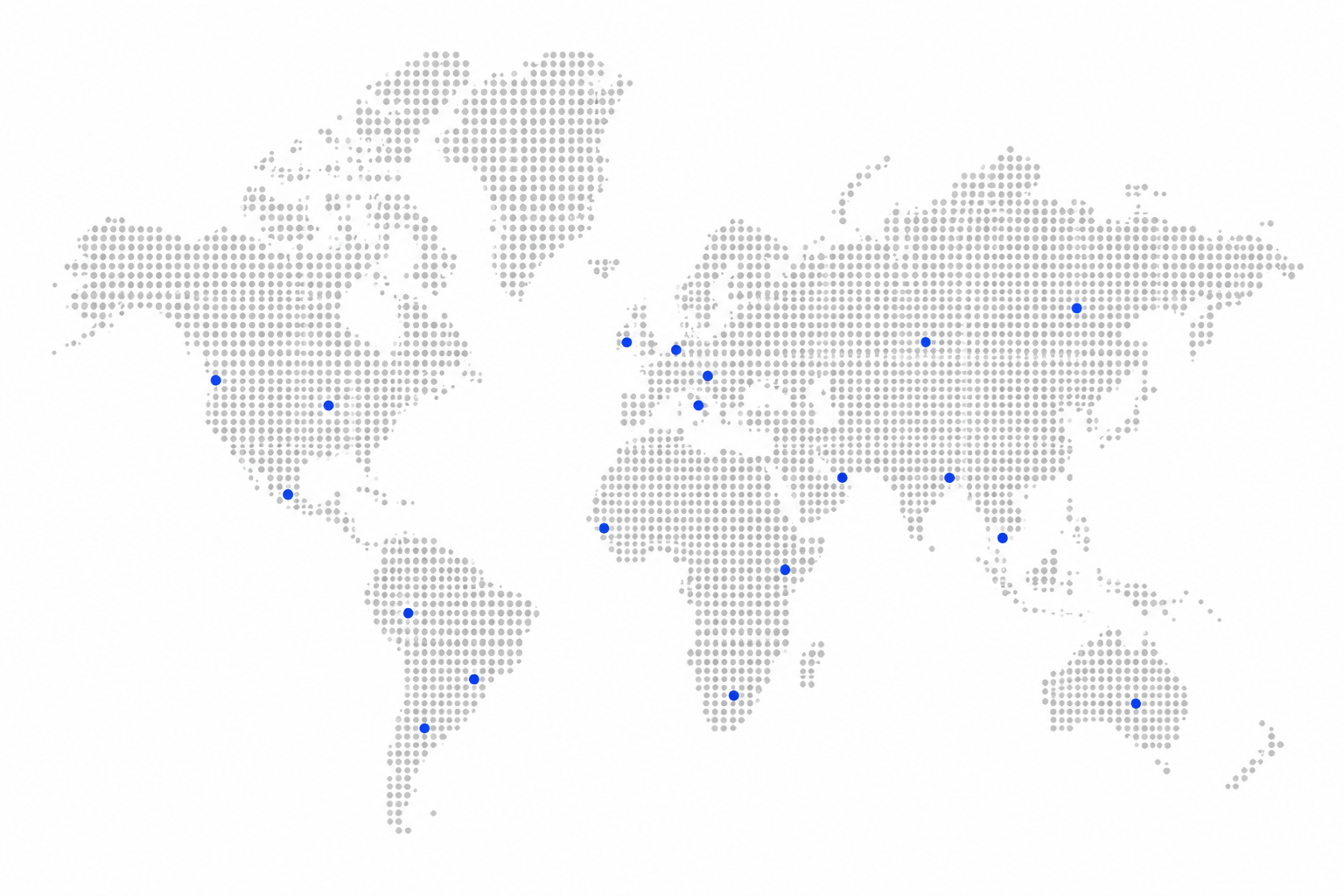
Trusted by organizations worldwide to implement, optimize, and scale business-critical platforms.
 United States
 United Kingdom
 Germany
 Dubai
Dubai
 Australia
Beyond Microsoft Dynamics 365 implementation services, we can support the wider Microsoft business applications environment around it.
Connect Dynamics 365 with your existing ERP, ecommerce, finance, data, and third-party systems for consistent information across the business.
Explore Integration Services
Move from legacy Dynamics versions to a modern cloud environment while preserving critical data, workflows, and business logic.
Explore Upgrade Services
Keep your environment stable with ongoing troubleshooting, enhancements, release support, and performance optimization.
Explore Support Services
Extend Dynamics 365 with Power BI, Power Apps, Power Automate, and Power Pages to improve reporting, automation, and user access.
Explore Power Platform Services
It depends on the application and the scale. A small Business Central rollout with standard configuration and few users can be handled internally by a team with strong Microsoft skills and time to spare. Finance and Supply Chain Management is a different proposition, and self-implementation rarely goes well without prior ERP delivery experience.
The realistic questions are whether you have people who can be released from their day jobs for the length of the project, whether anyone internally has migrated data into Dynamics 365 before, and who is accountable if the go-live date slips. Licenses bought directly from Microsoft do not include implementation.
As your Microsoft D365 implementation consultant, we start by aligning the deployment with what your business is actually trying to achieve, not with a standard rollout template. That means evaluating your current processes and where you expect to be in three years before any configuration begins, so the system addresses real operational problems rather than replicating them in new software.
With 400+ successful Dynamics 365 projects behind us, our D365 implementation consultants build the strategy around your industry's specific requirements, and stay accountable for delivery from scoping through go-live.
Dynamics 365 implementation cost depends on the modules involved, the number of users, process complexity, data migration, integrations, customisation, training, and support requirements.
A single-module rollout with mostly standard configuration will usually require less investment than a multi-module implementation involving legacy data, custom workflows, and several integrations. A proper cost estimate should account for the complete scope before work begins.
Most Dynamics 365 implementations take between 12 and 24 weeks, although the final timeline depends on the size and complexity of the project.
A focused, single-module rollout may sit at the lower end. Multi-module projects involving complex data migration, integrations, customization, or multiple business entities usually take longer.
Dynamics 365 implementation services typically include discovery, process assessment, solution design, licensing guidance, configuration, customization, data migration, integrations, testing, user training, go-live support, and ongoing maintenance.
The exact mix depends on the applications being implemented and how closely standard Dynamics 365 capabilities fit your existing processes.
A Dynamics 365 implementation usually moves through discovery, solution design, configuration, data migration, integration, testing, training, go-live, and post-launch support.
Each stage should end with a clear outcome, such as an approved scope, a configured environment, validated data, completed testing, trained users, or a confirmed go-live plan.
Dynamics 365 implementations commonly go over budget when the initial scope is too broad, customization is underestimated, data quality issues appear late, integration requirements are unclear, or training is left out of the original plan.
These issues are easier to control when requirements, assumptions, dependencies, and responsibilities are documented before configuration begins.
The most important best practices are to define the scope early, involve process owners, clean the data before migration, limit unnecessary customization, test with real business scenarios, and train users by role.
It also helps to divide larger implementations into manageable phases rather than trying to replace every process at once.
The amount of customization depends on how closely your processes match the standard Dynamics 365 applications.
Where possible, standard configuration and Power Platform tools should be considered before custom development. Customization is most valuable when it supports a genuine operational requirement that cannot be handled effectively through existing capabilities.
Data migration usually includes four stages: mapping, cleansing, migration, and validation.
Existing records are mapped to the correct Dynamics 365 fields, cleaned and standardized, moved through controlled migration cycles, and then checked to confirm that values, relationships, ownership, and attachments have transferred correctly.
Yes. Dynamics 365 can be connected with Microsoft 365, Power BI, ecommerce platforms, finance systems, warehouse applications, document-management tools, legacy software, and custom business applications.
The right integration approach depends on data volume, update frequency, available APIs, security requirements, monitoring, and which system should remain the source of truth.
Yes, after an initial assessment of the existing environment.
The review should cover the current configuration, customizations, data, integrations, documentation, backlog, project risks, and unfinished requirements. From there, the project can be stabilized, rescoped, or restructured around a practical recovery plan.
Dynamics 365 licensing is based on the applications users need and the roles they perform.
Options may include full-user licenses, Team Member licenses, application-specific licenses, device licenses, and additional Microsoft products or capacity. Licensing should be reviewed alongside the implementation scope, so users receive the access they need without unnecessary cost.
User preparation should begin before the final training sessions.
Process owners and key users should be involved in requirements, demonstrations, testing, and acceptance. Role-based training, practical documentation, go-live support, and a clear escalation process help users adopt the system with fewer workarounds.
The first stage after go-live is usually a period of closer support, often called hypercare, where issues are monitored and resolved quickly.
Ongoing support may then cover user assistance, administration, reporting, enhancements, integrations, Microsoft release updates, performance monitoring, and further optimization.
They are different applications built on the same Microsoft platform.
A Microsoft Dynamics 365 CRM implementation focuses on customer-facing functions such as Sales, Customer Service, Field Service, and Marketing. A Dynamics 365 ERP implementation supports core financial and operational processes through applications such as Finance, Supply Chain Management, Business Central, and Commerce.
Dynamics 365 Customer Engagement, often called Dynamics 365 CE, refers to the CRM side of the platform. It is not an ERP system.
Because CRM and ERP applications share the same Microsoft ecosystem, connecting them is usually more straightforward than integrating products from separate vendors. For example, when a salesperson closes an opportunity in Dynamics 365 Sales, the information can flow into the ERP as a sales order without requiring teams to re-enter the same data.
This shared foundation is one of the main reasons businesses often begin with either CRM or ERP and expand into other Dynamics 365 applications over time.
Most of the work that determines whether a CRM rollout succeeds happens before configuration begins. Three things are worth doing early.
First, document how your sales and service teams actually work today, including the workarounds. The spreadsheets and shared inboxes people rely on usually reveal requirements that never come up in formal discussions.
Second, look at your existing customer data honestly. Duplicate accounts, incomplete records and inconsistent naming are normal, and finding them early is far cheaper than finding them during migration. Your Dynamics 365 implementation partner should profile this data before committing to a timeline.
Third, decide who owns the decisions. Someone needs authority to settle questions about process and scope quickly, because implementations lose more time to unresolved decisions than to technical problems.
Your internal team can and should do the process mapping, because nobody knows your workflows better. What is harder to do from the inside is deciding which of those processes map to standard Dynamics 365 configuration, which genuinely need customization, and which should not be carried into the new system at all. That judgement comes from having made the call before, which is where a Microsoft Dynamics 365 CRM implementation partner earns their place.
ERP preparation differs from a CRM rollout in one important way: the cutover is tied to your financial calendar, so the groundwork has to be finished before a date you cannot move.
Start with your chart of accounts. An ERP implementation is the rare opportunity to restructure it, and most organizations carry forward a structure that accumulated over years rather than designing one that matches how they now report. Deciding this early matters, because it shapes almost everything configured afterwards.
Then look at the data that has to be right on day one: open transactions, supplier and customer balances, and inventory counts if you hold stock. Unlike CRM records, where a duplicate contact is an annoyance, an inaccurate opening balance is a reconciliation problem your finance team will be unpicking for months.
Finally, name process owners in each function, not just one project sponsor. ERP touches finance, procurement, warehouse and operations at the same time, and decisions stall when nobody in a given department has authority to settle them.
Your team can prepare much of this internally, and should, because the knowledge lives with the people doing the work. Where a Microsoft Dynamics 365 ERP implementation partner adds value is in sequencing it against a realistic cutover date, deciding what maps to standard Dynamics 365 functionality versus what needs configuration, and knowing which legacy processes are worth carrying forward and which were only ever workarounds for the old system.
Discover our latest publications on technology, trends, and what is shaping the industry.

Learn how AI agents and Copilot capabilities in Dynamics 365 Customer Service help teams route cases faster, resolve issues with better context, and improve service outcomes.
Read More >
See how AI-driven case routing and knowledge recommendations in Dynamics 365 helped this manufacturer improve service efficiency and customer satisfaction.
Read More >
Discover how AI transforms operations across industries with real-world use cases, ROI insights, and practical tools for business leaders.
Read More >