6 Field Service Problems the Scheduling Operations Agent Can Solve
Nov 12, 2026 Aiswarya Madhu
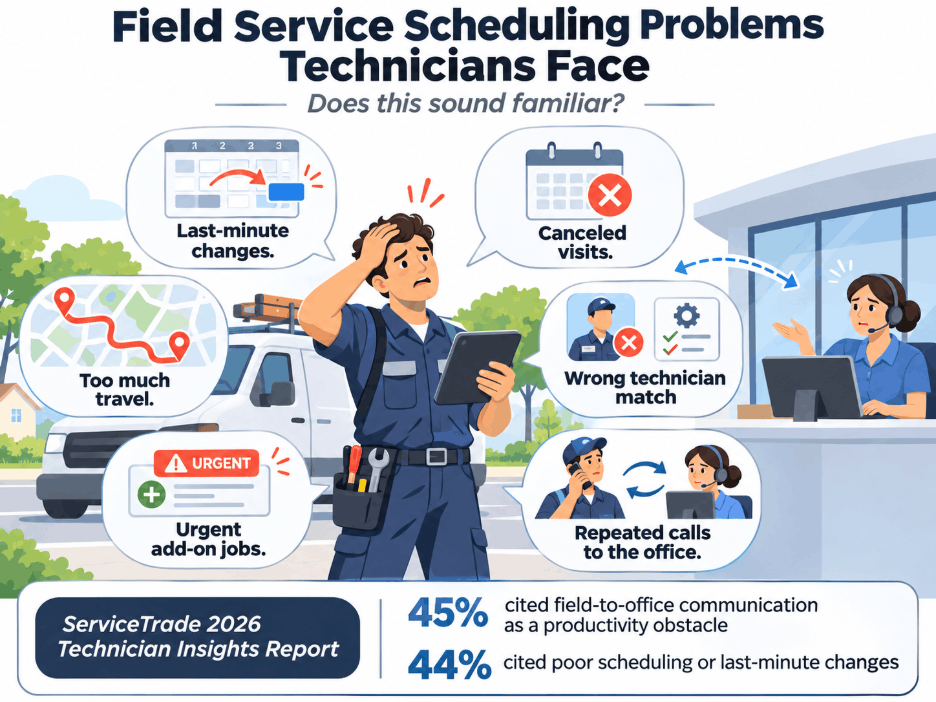
I'm sure at least once, one of your field service technicians has experienced something like this:
- Arrived at a customer site only to find that the appointment had been canceled or rescheduled.
- Had their entire day's schedule changed because an earlier repair took longer than expected.
- Spent more time traveling between appointments than necessary because jobs were poorly arranged.
- Been assigned a job that required skills or certifications they didn't have.
- Received an urgent assignment while already struggling to complete their scheduled work.
- Had to call the office repeatedly because the schedule or job information didn't match what was happening in the field.
These may look like occasional disruptions, but for many technicians they are a regular part of the working day. For service managers, each one leaves a mark somewhere in the operation: a repeat visit, an overtime shift, or a customer who waits another day.
And the numbers suggest this is a much wider problem.
The 2026 ServiceTrade Technician Insights Report, based on responses from 823 service technicians, found that 45% identified communication problems between the field and office as a productivity obstacle, while 44% pointed to poor scheduling or last-minute changes.
What's interesting is that the same research found that technicians genuinely enjoy their work. Some 55% said they take pride in skilled work, while 51% enjoy solving real problems. Much of the frustration comes from how the work is coordinated around them.
This is where Microsoft's Scheduling Operations Agent in Dynamics 365 Field Service becomes relevant. With interactive optimization, batch scheduling, and recurring planning capabilities, the agent helps dispatchers respond to changes, assign suitable technicians, and make better use of available resources.
Let's look at six scheduling problems the agent can help solve and what those capabilities mean for everyday field service operations.
Common Scheduling Issues and How the Agent Addresses Them
1. Last-Minute Changes Keep Disrupting Technician Schedules
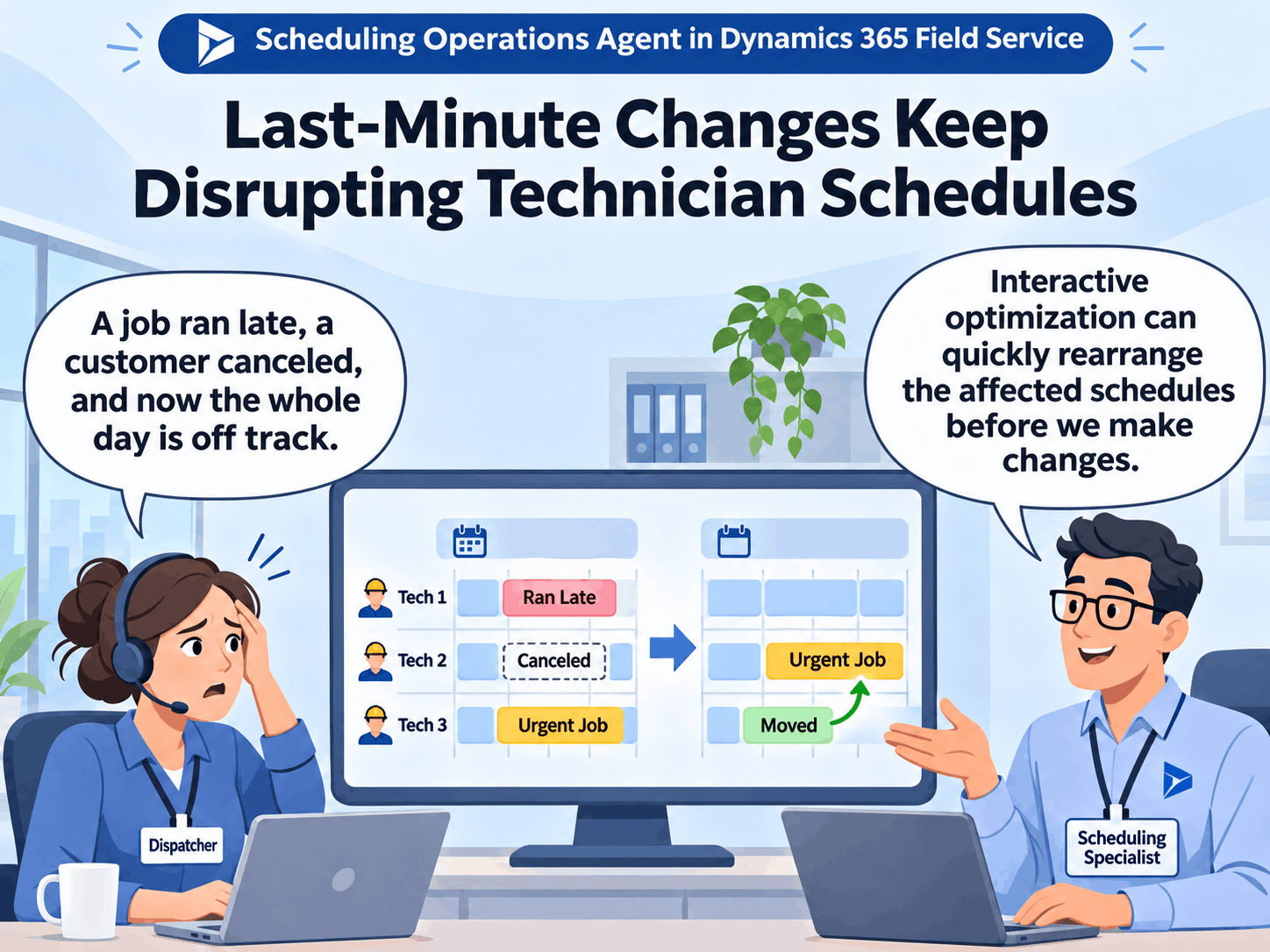
A technician may begin the day expecting to complete four scheduled appointments. Before the second job is finished, an urgent request comes in, another customer cancels, and the first repair takes longer than expected. The dispatcher now has to rearrange the remaining appointments, while the technician may need to change routes and adjust the rest of the working day.
The difficulty is that one change rarely affects just one appointment. A delayed job can push several bookings outside their planned windows, and moving those bookings manually requires dispatchers to consider technician availability, travel time, skills, and customer commitments.
The Scheduling Operations Agent's interactive optimization capability helps dispatchers examine several affected schedules together and recommend a revised arrangement. Dispatchers remain responsible for deciding whether the changes should be applied.
How the agent helps:
- Rearranges affected schedules together: Dispatchers can select up to five technicians and ask the agent to evaluate their existing bookings and open work requirements.
- Makes use of canceled slots: The agent can consider suitable unscheduled work when a cancellation creates available time.
- Accommodates urgent jobs: High-priority work can receive greater importance when the organization's scheduling objectives are configured accordingly.
- Considers travel when changing assignments: The optimization can evaluate alternative booking sequences to reduce unnecessary driving.
- Keeps dispatchers involved: The original and proposed schedules can be compared before the changes are applied.
2. Poor Coordination Between Dispatchers and Technicians Creates Unnecessary Work
The most frequently identified productivity obstacle in ServiceTrade's survey was communication between field teams and the office, reported by 45% of technicians.
This matters because scheduling problems are often communication problems as well. A technician may finish a job earlier than expected, but that availability is not reflected promptly in the scheduling system. Another technician may be delayed, while dispatchers continue assigning work based on an outdated plan. In both cases, the information used to make scheduling decisions no longer reflects what is happening in the field.
The Scheduling Operations Agent can help dispatchers reconsider assignments using the bookings, availability, resource details, and requirements recorded in Dynamics 365 Field Service. However, the agent is not a replacement for communication between technicians and the office. It depends on accurate, updated scheduling information.
How the agent helps:
- Works from existing Field Service records: The agent evaluates resource availability, bookings, and open requirements within the selected scheduling scope.
- Reconsiders assignments when circumstances change: Dispatchers can run interactive optimization after relevant schedule information has been updated.
- Evaluates related appointments together: Changes can be considered across affected technicians rather than handled as isolated booking decisions.
- Supports consistent scheduling rules: Skills, territories, working hours, and booking restrictions guide which assignments the agent can recommend.
- Provides recommendations for review: Dispatchers can inspect the proposed arrangement before updating the schedule.
Organizations should first examine how technicians communicate job completion, delays, cancellations, and changes in availability. If those updates are not reflected accurately in Dynamics 365, the agent may produce recommendations based on outdated information.
*This is an important implementation lesson: improving scheduling intelligence is useful only when the data feeding that intelligence reflects actual field operations.
3. Dispatchers Spend Too Much Time Rescheduling Work That Has Already Been Planned
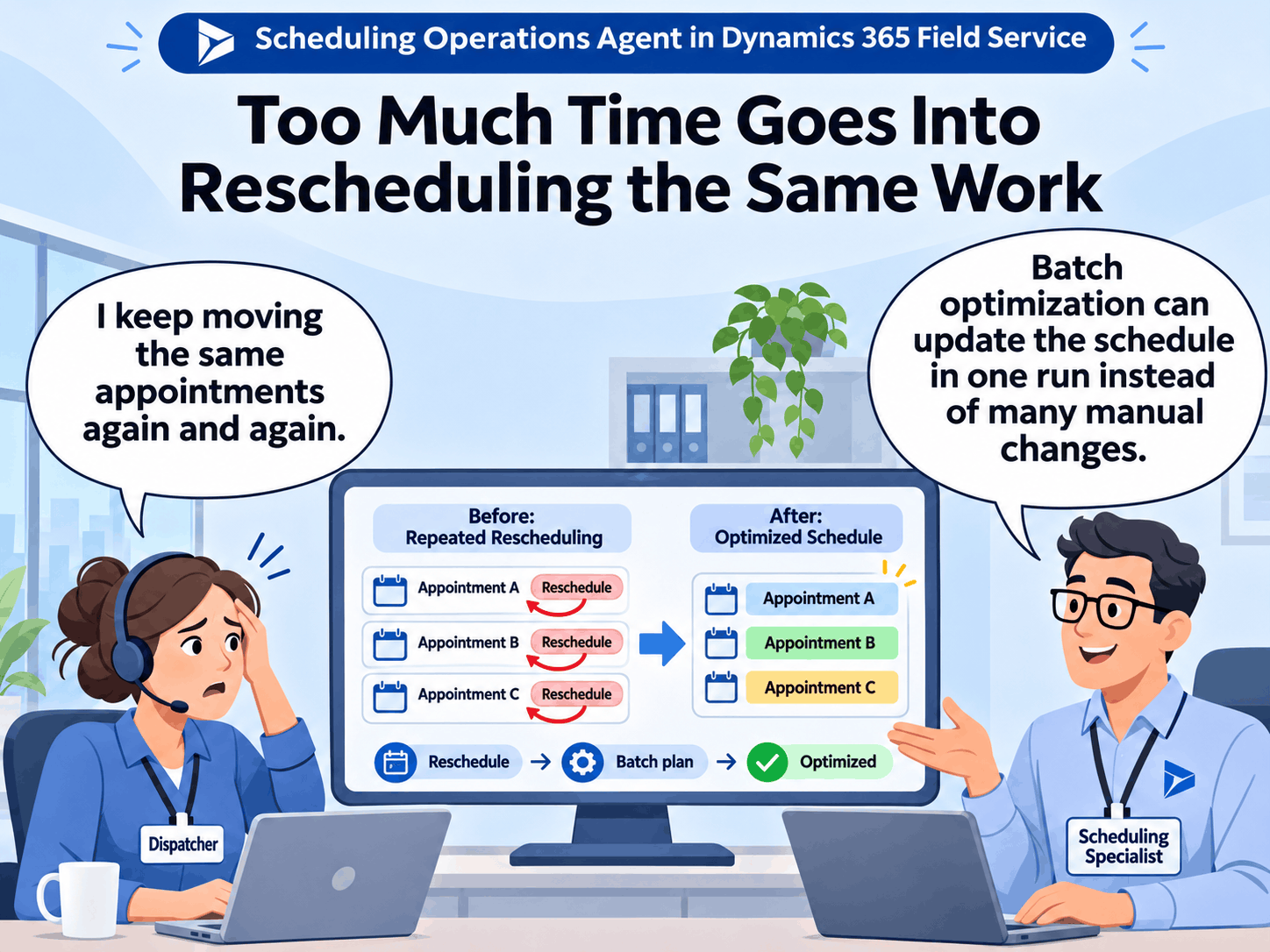
Dispatchers often spend considerable time preparing the next day's appointments, only to revisit the same schedules repeatedly as new requests arrive.
A customer reschedules a visit, a technician becomes unavailable, or another job takes priority. The dispatcher must check the affected resources, move existing bookings, and determine whether those changes create problems elsewhere.
Over time, this repeated planning can consume hours that could otherwise be spent managing exceptions, improving customer communication, or preparing for future demand.
The Scheduling Operations Agent supports both interactive optimization and batch scheduling plans, allowing dispatchers to optimize groups of appointments and reuse established scheduling configurations.
How the agent helps:
- Processes related schedule changes together: Instead of moving bookings individually, dispatchers can request an optimization across the affected resources.
- Reuses saved planning configurations: Batch plans retain the selected resources, work requirements, goals, and optimization window.
- Supports larger teams: Batch optimization can evaluate up to 50 resources and 4,000 combined bookings and open requirements in a supported planning run.
- Allows planning on demand: Dispatchers can run a saved plan when a territory or team's schedule needs to be reconsidered.
- Supports recurring runs: Plans can be configured to execute at defined intervals once their recommendations have been evaluated.
A service organization could, for example, create a batch plan for the next day's maintenance appointments and use interactive optimization to manage smaller disruptions during working hours.
The objective is to reduce the repeated manual effort involved in maintaining schedules while keeping dispatchers responsible for customer commitments and unusual cases.
Is your Field Service data ready for AI scheduling? The agent can only work with the skills, territories and job durations in your system. We’ll review your setup and show you what to fix before you pilot.
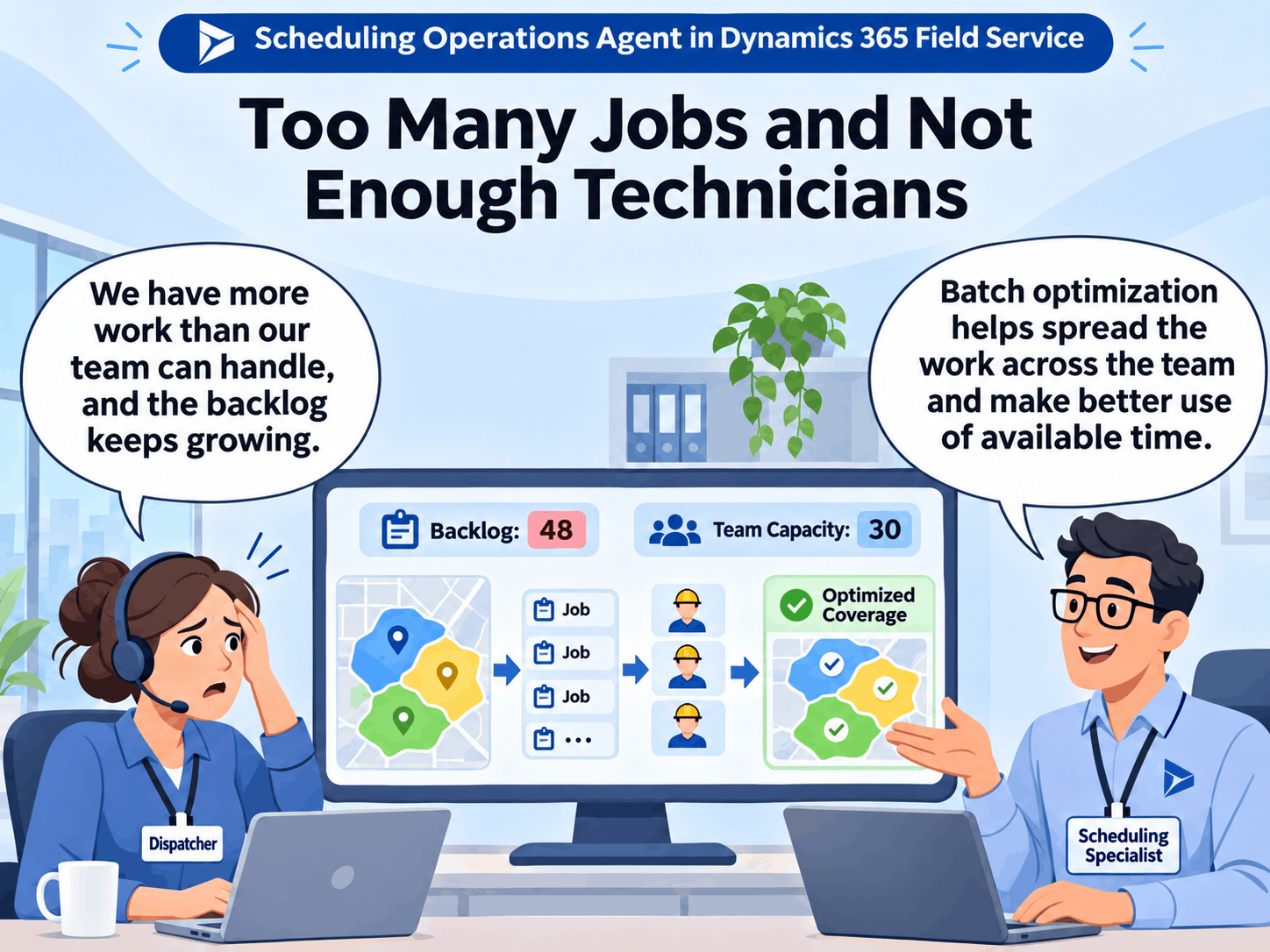
4. Technician Shortages Put More Pressure on the People Already in the Field
When a service organization has more work than its available technicians can comfortably handle, scheduling becomes increasingly important.
A shortage of skilled workers can lead to growing backlogs, longer customer wait times, and pressure to fit additional appointments into already busy schedules. That pressure becomes harder to manage when technicians spend substantial time driving between locations or when workloads are unevenly distributed.
ServiceTrade's report also examines technician retention and the skilled labor shortage. Its findings about pride in skilled work and the importance of workplace support suggest that organizations should be careful about treating every productivity problem as a need for technicians to work harder.
The Scheduling Operations Agent cannot increase headcount or resolve underlying recruitment problems. Its contribution lies in improving how existing appointments are distributed across the technicians available.
Through batch optimization, service managers can evaluate a larger set of resources, bookings, and open requirements while defining the priorities that matter most to their operation.
How the agent helps:
- Distributes work across eligible resources: Optimization considers the technicians available within the selected team or territory.
- Accounts for existing commitments: Working hours, breaks, and applicable booking restrictions remain part of the scheduling decision.
- Considers resource utilization: Organizations can configure objectives that seek to make better use of available technician time.
- Evaluates travel time: The agent can consider geographical efficiency when recommending assignments.
- Prioritizes important work: Scheduling goals can favor urgent or high-priority requirements when capacity is limited.
For a service manager, the measure of success should be more than the number of appointments assigned. Travel time, completed work, unresolved backlog, overtime, and technician feedback should all be considered when evaluating whether optimization is improving the operation.
A schedule that fills every available hour may look productive on paper but still leave technicians struggling with unrealistic job durations or excessive travel.
5. Sending the Wrong Technician Can Turn One Appointment into Two
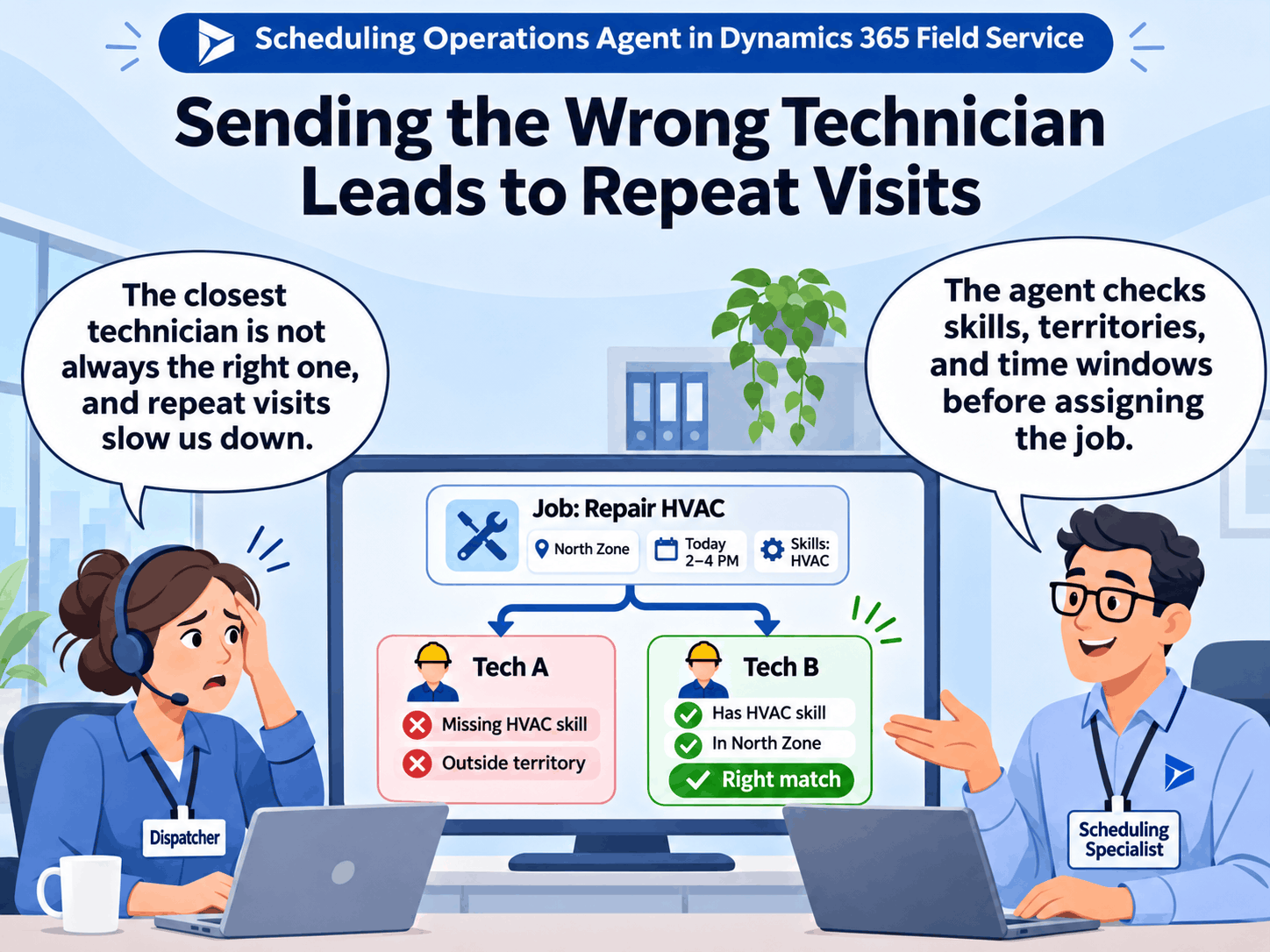
A technician can arrive on time and still be unable to complete the required work.
The technician may lack a particular certification, may not have experience with the equipment involved, or may have been assigned the job because they were the closest available resource rather than the most suitable one.
When this happens, the customer may need another appointment, the technician loses time on a visit they cannot complete, and the dispatcher has to arrange additional work.
This problem has a direct connection to the scheduling information maintained in Dynamics 365 Field Service. The Scheduling Operations Agent evaluates resource eligibility constraints, including the characteristics and territories defined for the work.
How the agent helps:
- Checks required skills: Only technicians meeting the configured skill or characteristic requirements are considered eligible.
- Considers service territories: Territory constraints can help determine which technicians qualify for an assignment.
- Respects time windows: Recommendations account for applicable appointment windows and resource availability.
- Evaluates eligible alternatives: The agent can consider suitable technicians within the optimization scope instead of relying only on proximity.
- Uses configurable constraints: Organizations can combine eligibility requirements with scheduling objectives to guide assignments.
There is an important limitation here. The agent can only evaluate the qualifications and requirements recorded in the system.
If a technician's certification has expired, a newly acquired skill has not been added, or a work order does not accurately describe what the job requires, optimization may still produce an unsuitable recommendation.
Before introducing AI-assisted scheduling, organizations should review their resource characteristics, certifications, territories, and job requirements. Improving these records can be just as important as configuring the optimization itself.
6. Teams Want AI Assistance but Still Need Control Over Scheduling Decisions
ServiceTrade's research found that 28% of surveyed technicians were already using AI at work, either regularly or occasionally. Among AI users, 46% used it to save time on paperwork, writing, or summarization.
These findings suggest that AI is already entering field service work, although technicians may be using it for different tasks than dispatchers.
Introducing AI into scheduling requires a different level of consideration. A documentation assistant may help prepare a report, but a scheduling agent can recommend changes that affect technician workloads, customer appointments, and service commitments.
Managers therefore need a way to evaluate whether the agent's recommendations are reliable before allowing them to affect live schedules.
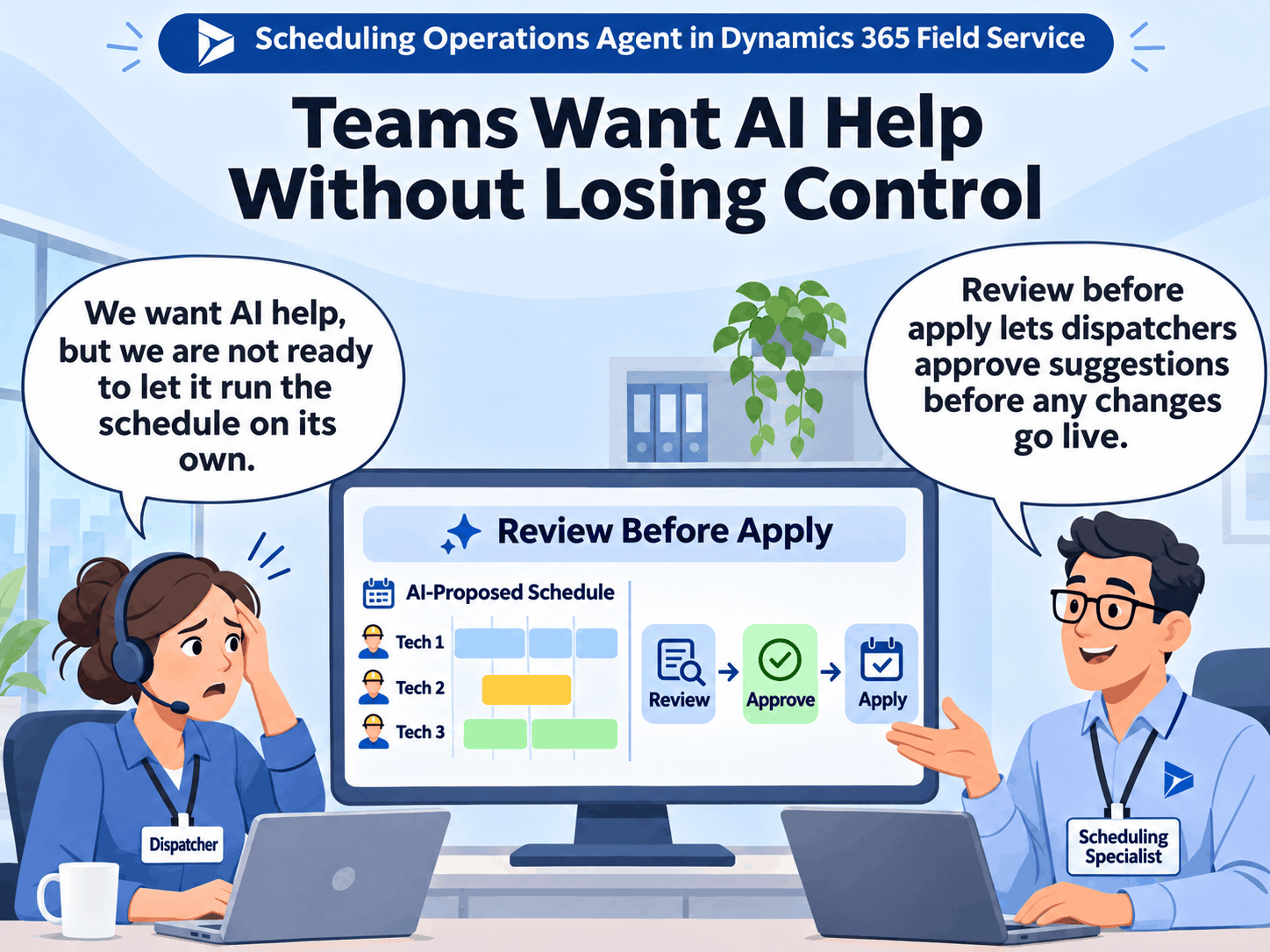
The Scheduling Operations Agent supports a gradual approach through Review before apply, on-demand optimization, and configurable recurring plans. Organizations can test how the agent handles scheduling decisions before considering more automation.
How the agent helps:
- Keeps a person responsible for approval: Dispatchers can inspect proposed schedules and decide whether to apply them.
- Supports controlled testing: Interactive and batch optimization can be evaluated with a limited group of resources.
- Allows scheduling goals to be refined: Teams can adjust objectives and constraints after reviewing recommendations.
- Separates recurring runs from automatic application: A plan can execute on a schedule while still requiring manual approval.
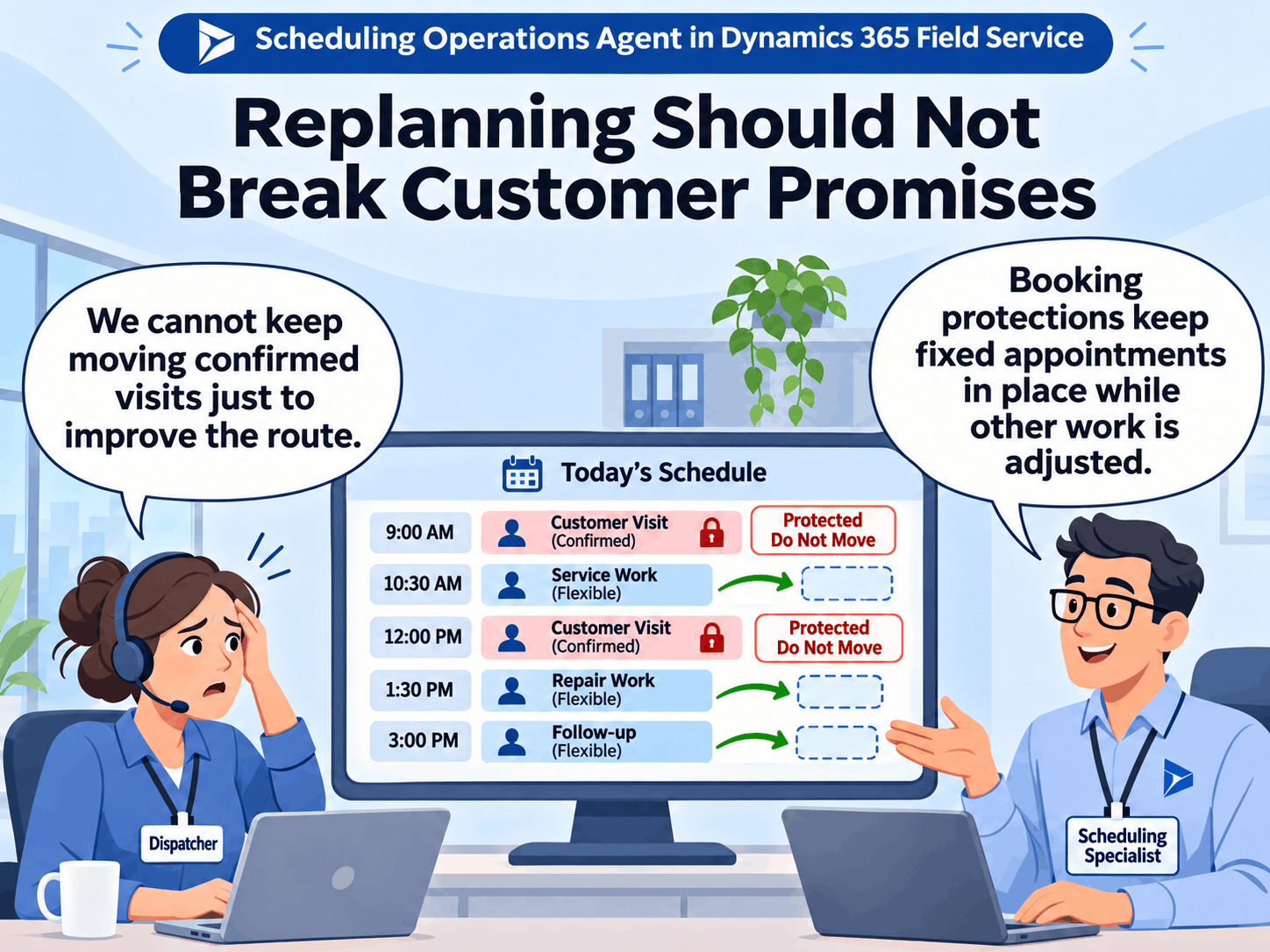
- Protects fixed customer appointments: Bookings configured as Do Not Move remain protected during optimization.
Are You Getting the Most from Dynamics 365 Field Service? Improve scheduling, technician assignments, and productivity with guidance from our Dynamics 365 experts.
How to Start Using the Scheduling Operations Agent
The six problems above do not require six different tools. The Scheduling Operations Agent provides three scheduling approaches, each suited to a different type of work.
Interactive optimization is useful when dispatchers need help adjusting a few schedules during the day. Batch optimization is designed for larger planning activities across teams or territories. Recurring optimization allows organizations to automate the execution of a batch plan that has already been tested.
Microsoft recommends starting with targeted optimization, refining scheduling goals, and introducing recurring runs once the recommendations consistently meet operational requirements.
Step 1. Review Your Scheduling Data
Before configuring the agent, check that technician calendars, working hours, skills, certifications, territories, service locations, and expected job durations accurately reflect the operation.
The agent relies on this information when evaluating potential assignments. Incorrect records can affect the quality of its recommendations, even when the optimization settings are configured correctly.
Step 2. Choose the Right Scheduling Mode
Start with the scheduling problem that creates the most manual work. For teams dealing mainly with same-day disruptions, interactive optimization may be the most suitable starting point. Organizations that need to plan larger workloads across a territory can begin testing batch plans.
During the current preview, Microsoft's supported limits are:
| Mode | Resources | Workload and time range |
|---|---|---|
| Interactive optimization | Up to 5 | 120 combined bookings and open requirements; up to 72 hours |
| Batch optimization | Up to 50 | 4,000 combined bookings and open requirements; up to 14 days |
| Recurring optimization | Uses batch limits | Minimum recurrence interval of 30 minutes |
These limits apply per optimization run and may change as Microsoft develops the agent.
Step 3. Define Your Scheduling Priorities
The agent uses scheduling goals that combine objectives and constraints. Objectives determine what the optimization should prioritize, such as completing urgent work, reducing travel time, improving utilization, or preserving existing bookings. Constraints determine which assignments are eligible based on requirements such as skills, territory, and time windows.
Organizations should begin with a small number of objectives that reflect their service commitments.
For example, a business handling emergency maintenance may prioritize high-urgency requirements over reducing travel time. Microsoft advises keeping travel time or overall resource utilization among the lowest-ranked objectives when other business priorities need to take precedence.
Step 4. Test the Recommendations Before Applying Them
Run optimization against a small team or territory and compare the suggested schedule with the arrangement an experienced dispatcher would normally choose.
Review whether the recommendations assign suitable technicians, respect customer commitments, prioritize important work, and produce reasonable travel routes.
If the results are unsuitable, examine the source data and scheduling constraints before changing the objective rankings. Incorrect job durations, resource availability, or work order details can affect the schedule.
Step 5. Introduce Recurring Optimization Gradually
Once a batch plan produces consistent results, it can be configured to run automatically at defined intervals.
An organization might run a broader plan overnight to prepare the next day's assignments and use targeted optimization during working hours when additional requests arrive.
Recurring optimization is time-based. It does not immediately react to every cancellation or scheduling event. Dispatchers can continue using interactive optimization when unexpected changes require attention between scheduled runs.
The minimum supported interval is 30 minutes, but organizations should choose a frequency based on how often meaningful scheduling changes occur.
Plans can run automatically while retaining the Review before apply setting. Automatic application should be considered only when the organization has evaluated the configuration and understands the consequences of the proposed changes.
What Are the Current Limitations?
The Scheduling Operations Agent remains in public preview as of Microsoft's October 2026 update. Microsoft states that preview features are not intended for production use and may have restricted functionality.
The current preview excludes equipment, pool, and facility resources, requirement groups, and certain multiday requirements associated with requirement-detail records.
The agent also requires an online connection and is unavailable in Azure Government and China regions. Availability elsewhere depends on Microsoft's regional rollout.
Organizations using complex resource pools, multiday service requirements, or specialized crew arrangements should confirm whether their scheduling scenarios are supported before designing a pilot.
How Nalashaa Digital Helps
The Scheduling Operations Agent can recommend better schedules, but the results depend on how accurately Dynamics 365 Field Service represents the operation.
Missing technician skills, outdated resource calendars, inconsistent booking statuses, and incorrect work order requirements can all affect optimization results.
At Nalashaa Digital, our Dynamics 365 team helps organizations review their existing Field Service configurations and prepare for AI-assisted scheduling.
Our work includes:
- Scheduling readiness assessments: Reviewing technician resources, skills, territories, booking statuses, and work order requirements to identify data and configuration gaps.
- Optimization goal configuration: Defining scheduling objectives, resource constraints, and booking protections around business priorities.
- Pilot planning and evaluation: Testing optimization recommendations against existing scheduling workflows and refining the configuration based on results.
- Workflow automation: Evaluating where recurring optimization and related Microsoft AI capabilities may fit as supported features become available.
Our Dynamics 365 Field Service services also cover implementation, integration, customization, and ongoing support for organizations improving their field service operations.
Planning to pilot the Scheduling Operations Agent? Start with a scheduling readiness assessment. We’ll review your resources, skills, territories and work order data, and give you a clear list of what to fix before you switch on optimization.
Frequently Asked Questions
What does the Scheduling Operations Agent do in Dynamics 365 Field Service?
The Scheduling Operations Agent helps dispatchers optimize technician schedules by evaluating existing bookings, open work requirements, resource availability, and scheduling priorities. It can recommend adjustments for a few technicians or evaluate larger workloads through batch optimization.
How is the Scheduling Operations Agent different from Resource Scheduling Optimization?
Resource Scheduling Optimization is a separately licensed add-in used for automated scheduling. The Scheduling Operations Agent introduces AI-driven interactive and batch optimization, with the ability to review recommendations and configure recurring plans. Organizations should confirm current licensing and preview conditions with Microsoft.
How many technicians can the Scheduling Operations Agent optimize?
During the public preview, interactive optimization supports up to five resources and 120 combined bookings and open requirements. Batch optimization supports up to 50 resources and 4,000 combined bookings and open requirements.
Can the Scheduling Operations Agent automatically reschedule appointments?
Eligible batch optimization plans can be configured to apply scheduling changes automatically. Organizations can also choose Review before apply, which requires a user to approve the proposed schedule. Bookings marked Do Not Move remain protected.
How often can recurring scheduling plans run?
The minimum supported recurrence interval is 30 minutes. Organizations can configure recurring plans based on their scheduling requirements, although more frequent optimization is not necessarily beneficial.
Does the agent automatically respond when a customer cancels an appointment?
Recurring optimization does not continuously monitor scheduling events. It runs according to the configured schedule. Dispatchers can use interactive optimization to address unexpected cancellations or urgent requests between recurring runs.
Which scheduling scenarios are not supported?
The current preview excludes equipment, pool, and facility resources, requirement groups, and certain multiday requirements. The agent also requires an online connection and is unavailable in Azure Government and China regions.
Recent Posts

Microsoft Dragon Copilot: Use Cases Worth Investing In
Nov 03, 2026

Dynamics 365 Activate: Do You Still Need a Migration Partner?
Oct 05, 2026

Tableau to Power BI Migration: A Practical Guide
Sep 09, 2026
Category
Our Expertise



About Author

Aiswarya Madhu
Aiswarya Madhu is an experienced content writer with extensive expertise in Microsoft Dynamics 365 and related Microsoft technologies. With over four years of experience in the technology domain, she has developed a deep understanding of Dynamics 365 applications, licensing, integrations, and their role in driving digital transformation for organizations across industries.
Never Miss News
Want to implement Dynamics 365?
We have plans which will meet your needs, and if not we can tweak them around a bit too!