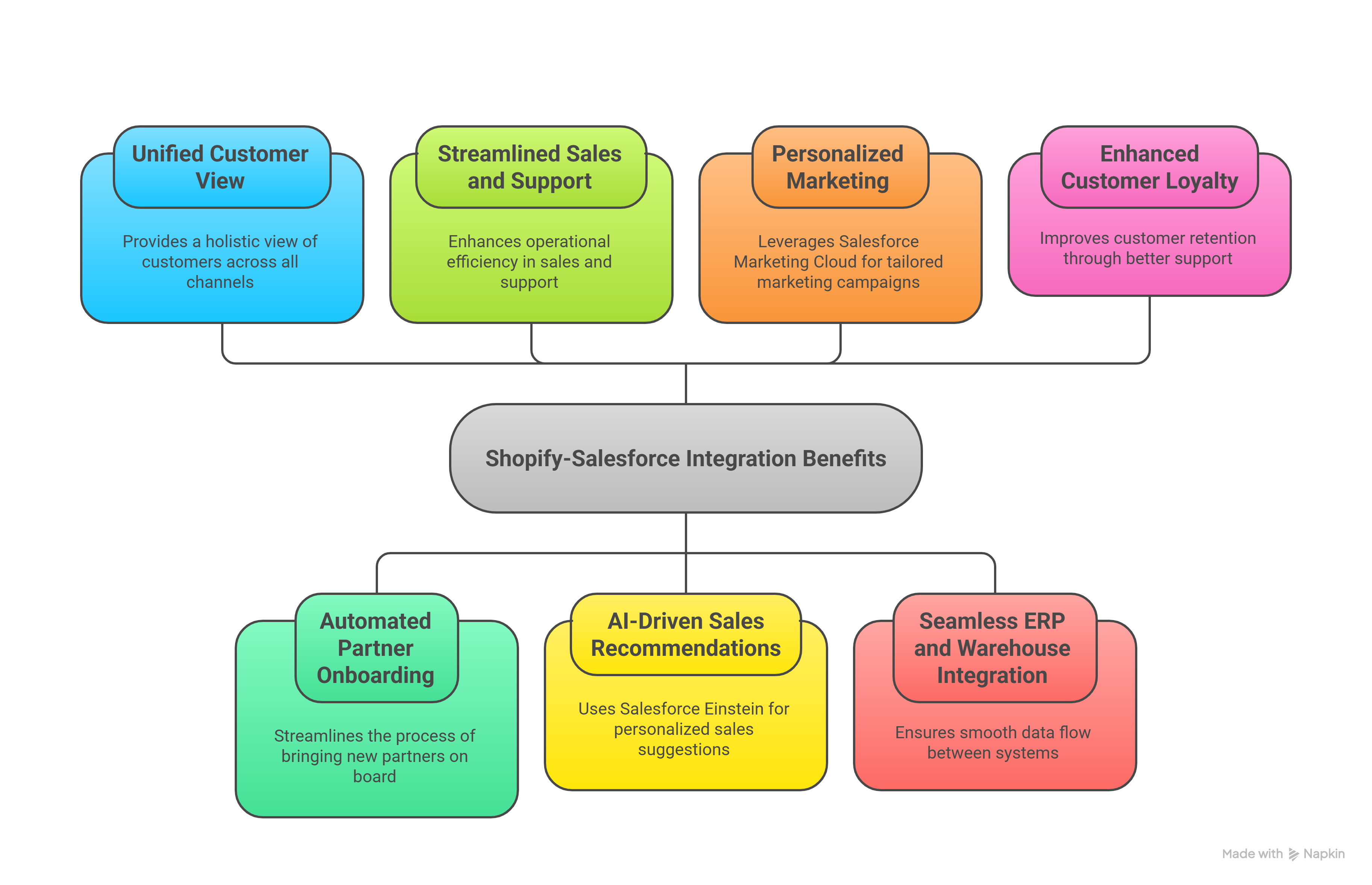
So... a customer places an order on your Shopify store.
Great news, right?
Now what?
Ideally, that order along with the customer’s name, email, shipping address, what they bought, how much they spent, and even their order history gets automatically sent to Salesforce.
And just like that, your sales, marketing, and support teams are in the loop. No one’s asking, “Did we get that order info?” or scrambling through emails. Everyone sees the same data, in real time, in the system they already use.
But what if that integration doesn’t exist?
Now someone’s manually exporting orders.
Copy-pasting customer info into spreadsheets.
Sending it to another team to upload into Salesforce.
Maybe forgetting a field. Maybe uploading the wrong one.
And the scariest part... don’t forget! While this is happening, your customer is waiting.
Waiting for a follow-up
Waiting for confirmation.
Maybe even waiting for support after something goes wrong.
This is why Shopify Salesforce integration matters. Now let me help you understand the methods of integration, along with things you need to be careful (I mean things usually people mess-up).
Shopify Salesforce Integration Methods
When it comes to Salesforce Shopify integration, there’s no single best method for everyone. The right approach depends on your goals, how complex your setup is, how fast you need to move, and how much control you want over the process.
Below is a simple breakdown of the four most common integration methods, what they offer, and when each one makes the most sense.
1. Shopify App Store Integrations
If you’re just getting started or need to test things quickly, pre-built apps from the Shopify App Store can be a great first step. Tools like Zapier, Automate.io, or ShopSync help you sync basic data between Shopify and Salesforce without writing a single line of code.
These are perfect if:
- You want to move fast without hiring developers
- You’re testing your integration needs before investing heavily
- You only need to sync things like customers, orders, or inventory
However, keep in mind:
- These apps don’t offer much room for customization
- You may hit limits if your business grows or your workflows get more complex
- Syncs may not happen in real time, and high-volume operations can slow things down
2. Custom API Integrations
For companies with complex systems, compliance requirements, or a need for deep customization, building your own integration using Shopify and Salesforce APIs is often the best choice.
With this method, you can:
- Control exactly what data moves between systems and when
- Automate processes based on your specific customer journey
- Integrate with other tools in your stack like ERPs or marketing platforms
- Align with your industry’s regulations or security standards
Of course, this route comes with more responsibility:
- You’ll need experienced developers or a trusted integration partner
- Planning and testing take longer
- Maintenance and updates are all on you
3. Middleware Platforms
If you need more flexibility than app store tools offer but don’t want to build something from scratch, middleware platforms provide a smart middle ground. Tools like MuleSoft, Workato, Celigo, and Dell Boomi come with pre-built connectors and a visual interface for setting up automations.
These platforms are ideal if:
- You want customization without heavy coding
- You have several systems to connect, not just Shopify and Salesforce
- You want built-in features like monitoring, logging, and security
Things to consider:
- Middleware platforms usually come with licensing fees
- You’ll still need some technical expertise to configure and manage them
4. Manual Import and Export
Lastly, there’s the good old manual method. You can export data from Shopify as CSV files and import it into Salesforce using native import tools.
This can work if:
- Your integration needs are very light or infrequent
- You don’t have budget or technical resources right now
- Real-time data sync is not a priority
But there are trade-offs:
- It requires manual effort every time you want to update data
- It’s not scalable for growing businesses
- You’ll miss out on automation and real-time visibility