Still on Dynamics GP? Here's Why 2027 Is Your Last Safe Year to Decide
Aug 12, 2026 Aiswarya Madhu
A note before you read: if you only have thirty seconds, here is the whole argument.
- GP support ends September 30, 2029, security patches end April 2031
- A customized GP takes 9 to 18 months to migrate, plus 3 to 6 months of prep before that
- You want one full year-end close on Business Central before support ends, so go-live is 2028
- Count backwards and your real decision date is 2027, at the latest
- Deciding in 2026 gets you senior teams and normal pricing; waiting until 2028 gets you the queue
The rest of this article shows you the maths behind each line.
Microsoft Dynamics GP reaches end of support on September 30, 2029, with security patches continuing only until April 30, 2031. That sounds like breathing room. It isn't. A GP to Business Central migration typically takes 12 to 18 months once you add data cleanup, ISV replacements, integrations, testing, and a fiscal-year cutover. Work the calendar backwards and the last safe moment to commit to a Dynamics GP migration plan lands somewhere in 2027. Everything after that is a queue.
That's the math. Here's what it feels like to live on either side of it.
The dates Microsoft actually published
Before the story, the facts, because the deadline confusion is exactly why so many GP shops are still waiting:
- April 2025: Microsoft stopped selling new Dynamics GP perpetual licenses.
- April 2026: New subscription license sales ended.
- September 30, 2029: Product support, product updates, and regulatory (year-end tax) updates end.
- April 30, 2031: Security patches end. After this date, GP runs entirely at your own risk.
Why is 2027 the real decision date, not 2029?
Because a safe migration is a chain of steps, and each step has a minimum length. Count backwards from September 2029 and the chain reaches into 2027 on its own:
| Milestone | Timing | Why |
|---|---|---|
| GP support ends | September 30, 2029 | Fixed by Microsoft |
| Last safe go-live | January to September 2028 | You want one full year-end close on Business Central while GP support still exists as a fallback |
| Project kickoff | Early to mid 2027 | A customized GP with ISVs takes 9 to 18 months to migrate |
| Decision and budget commit | Late 2026 to mid 2027 | Data audit, ISV mapping, partner selection, and budget approval take 3 to 6 months before kickoff |
That is the whole argument in one table. 2029 minus one safe close cycle, minus 9 to 18 months of migration, minus 3 to 6 months of preparation. Your decision date is 2027 (At the latest).
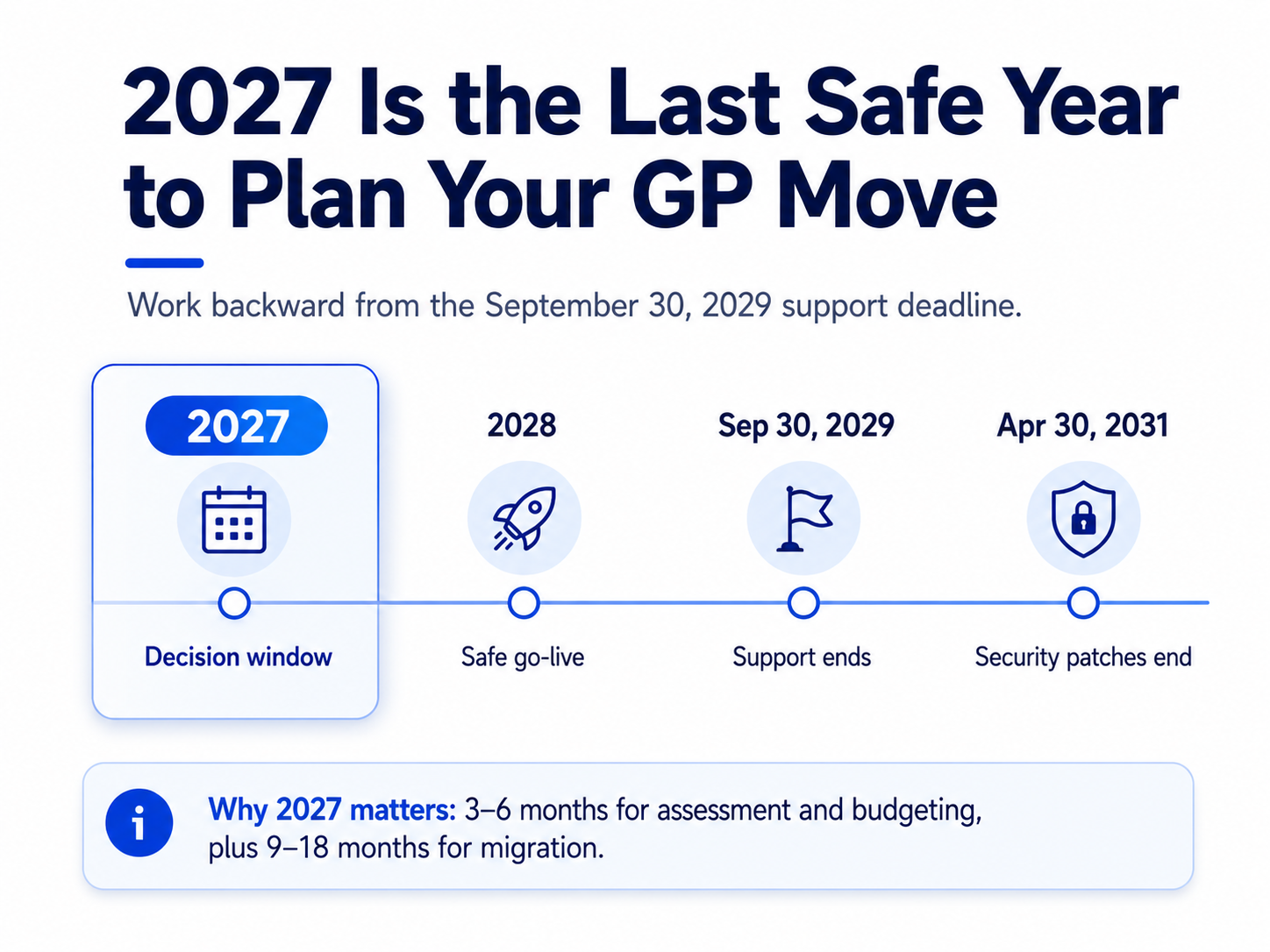
Now let's walk through each step the way it will actually feel for your team.
Step 1: You do not want to go live in 2029
Go-live on a finance system means your first month-end close, your first year-end close, your first audit on the new platform. You want GP still supported behind you when those happen, so that if a report reconciles wrong or a posting routine behaves differently, the old world is still standing.
That pushes your realistic go-live to 2028. And since no finance leader goes live during November or December close season, the window is really January to September 2028.
Step 2: The migration takes longer than the sales deck says
A clean, lightly customized GP can move to Business Central in 4 to 9 months. Now be honest about your GP:
- Twenty years of customizations nobody has documented
- ISV add-ons for payroll, manufacturing, or field service that may not have a Business Central equivalent
- Historical data going back decades, some of it in tables nobody remembers creating
- Integrations built in 2011 by someone who left in 2015
For that GP, plan 9 to 18 months from kickoff to go-live. To hit a 2028 go-live, your project kicks off in early to mid 2027.
Step 3: Before kickoff comes the work nobody budgets time for
Kickoff is not day one. Before it, you need a data audit that decides what migrates and what gets archived, an ISV map that tells you which add-ons carry over and which need replacing, a partner evaluation, and a budget approval. For most mid-market firms, that budget line has to enter the FY2027 planning cycle during 2026.
That preparation takes 3 to 6 months. Which puts the real decision in late 2026 to mid 2027.
Early Deciders are Booking their Assessments Now
Get your free Dynamics GP migration assessment before the calendar fills
What happens if you wait? Two journeys, side by side
The 2026 decider
You spend this year on discovery while there is zero pressure. You interview three partners and pick the one that actually understands your ISV stack, because senior consultants are still available. You kick off in early 2027 with a phased plan your finance team helped shape. You go live in spring 2028, run parallel for a quarter, and close FY2028 on Business Central with GP still supported behind you. By 2029, this is someone else's fire drill.
The 2028 decider
You call partners in early 2028 and find their calendars filled a year ago. The good ones offer a Q4 2028 start with a junior team at rush pricing, because every other GP customer had the same idea at the same time. Your go-live lands mid 2029, weeks before support ends, with no parallel close and no safety window. Meanwhile your GP admin, the one person who knows why batch posting works the way it does, has taken a role at a company that already migrated.
This is not a scare story. It is what happens when tens of thousands of customers converge on a fixed partner pool with a fixed deadline.
What does staying on GP after 2029 actually cost?
"Security patches run until 2031" is the most expensive comfort blanket in ERP. Here is what daily life looks like on unsupported GP:
- Payroll tax tables freeze: Every rate change becomes a manual update your team maintains by hand, every quarter, forever.
- 1099 and year-end formats freeze: The first January after support ends, your year-end filing depends on workarounds instead of an update.
- ISV vendors move on: Add-on publishers follow Microsoft's roadmap. Expect end-of-life notices on your GP add-ons well before 2029.
- Talent drains: GP specialists are retiring or retraining on Business Central. Each year, the person who can fix your problem gets harder and more expensive to find.
- Audit and insurance questions: Running a finance system with no vendor support is a finding waiting to happen.
None of this crashes your system on day one. It just makes every close a little slower and every fix a little riskier, while the cost of leaving keeps rising.
What should you do this quarter?
You do not need to sign a migration contract this month. You need three things:
- Inventory your GP estate. Version, customizations, ISVs, integrations, data volume. One spreadsheet, one week.
- Get a migration assessment. A structured readout of your complexity tier, realistic timeline, and cost range. This is the input your FY2027 budget needs, and it tells you which of your ISVs have a Business Central path.
- Put the number in the budget cycle. Even a placeholder. The companies that struggle in 2028 are the ones who never got a line item approved in time.
If you already run Microsoft 365, the move is smoother than you expect, since Business Central lives in the same cloud and the same admin world. Our Dynamics 365 upgrade team handles the ISV mapping and data migration that make or break GP projects, and if you need to keep your current environment healthy while you plan, our Dynamics 365 support services cover the bridge period.
To know more about moving from GP to Business Central, fill the form below and we will set up a free 30 minute consultation.
FAQ
When does Dynamics GP end of life happen?
Mainstream support, including tax and regulatory updates, ends September 30, 2029. Security patches continue until April 30, 2031. New license sales to new customers have already ended.
How long does a Dynamics GP to Business Central migration take?
Simple environments take 4 to 9 months. GP systems with heavy customization, ISV add-ons, and large historical datasets typically take 9 to 18 months from kickoff to go-live.
Can I keep using Dynamics GP after 2029?
Yes, the software keeps running. But without tax, payroll, and regulatory updates, compliance becomes manual work your team maintains by hand, and after April 2031 there are no security patches at all.
Why is 2027 the real decision year?
Working backwards from a safe 2028 go-live: 9 to 18 months of migration plus 3 to 6 months of assessment, partner selection, and budgeting means the commitment has to happen by 2027. Deciding earlier gets you better partners, better timelines, and better pricing.
Is Business Central the only option after GP?
No, but it is the path Microsoft built the migration tooling and incentives around, and it keeps your data in the Microsoft cloud you already use. Other ERPs are viable, but they add a full re-implementation and retraining cost on top of the same deadline.
Recent Posts

Dynamics 365 Activate: Do You Still Need a Migration Partner?
Oct 05, 2026

Tableau to Power BI Migration: A Practical Guide
Sep 09, 2026

SAP ECC to Dynamics 365 Finance & SCM Migration Guide
Sep 09, 2026
Category
Our Expertise



About Author

Aiswarya Madhu
Aiswarya Madhu is an experienced content writer with extensive expertise in Microsoft Dynamics 365 and related Microsoft technologies. With over four years of experience in the technology domain, she has developed a deep understanding of Dynamics 365 applications, licensing, integrations, and their role in driving digital transformation for organizations across industries.
Never Miss News
Want to implement Dynamics 365?
We have plans which will meet your needs, and if not we can tweak them around a bit too!